Best Email Encryption Software for Business and Enterprise 2025
Securing corporate communications isn't just about preventing interception during transit. Learn the core differences between PGP, S/MIME, and data-at-rest encryption to protect your sensitive attachments and achieve compliance (HIPAA, GDPR, PCI-DSS).
The best email encryption software for business depends on the protection layer required. S/MIME and PGP handle in-transit message security natively within clients like Outlook. However, for maximum data protection, enterprises rely on pre-transit attachment encryption (like Folder Lock) utilizing AES-256 to ensure that even if an email account is compromised, the actual files remain completely inaccessible without the encryption key.

Table of Contents
- What Does Encryption Software Do?
- When You Need This (Scenario Selector)
- Email Encryption Protocols Explained
- Methods Comparison Matrix
- The Tool We Recommend for Attachments
- How to Encrypt Email in Outlook
- Encryption Compliance (HIPAA, GDPR)
- Troubleshooting Common Issues
- Frequently Asked Questions (FAQ)
What Does Encryption Software Do for Business Email?
Email is inherently insecure. By default, standard SMTP email transmission is like sending a postcard through the mail—anyone handling it along the route can read the contents. Email encryption software translates your readable data into unreadable ciphertext using cryptographic algorithms. Only the recipient with the correct decryption key can revert the text and attachments to their original format.
In modern enterprise environments, "email encryption" operates on two primary levels of the OSI Model Layer:
- Transport Layer Security (TLS): Protects the tunnel the email travels through. Good for basic compliance, but useless if the destination server or recipient's account is breached.
- Application Layer (End-to-End & Data at Rest): Tools like S/MIME, PGP, and third-party file encryption software (AES-256) protect the message and attachments themselves, regardless of the tunnel they travel in.
This guide explores the best encryption software, comparing built-in native options, open-source standards, and commercial third-party solutions designed for scale.
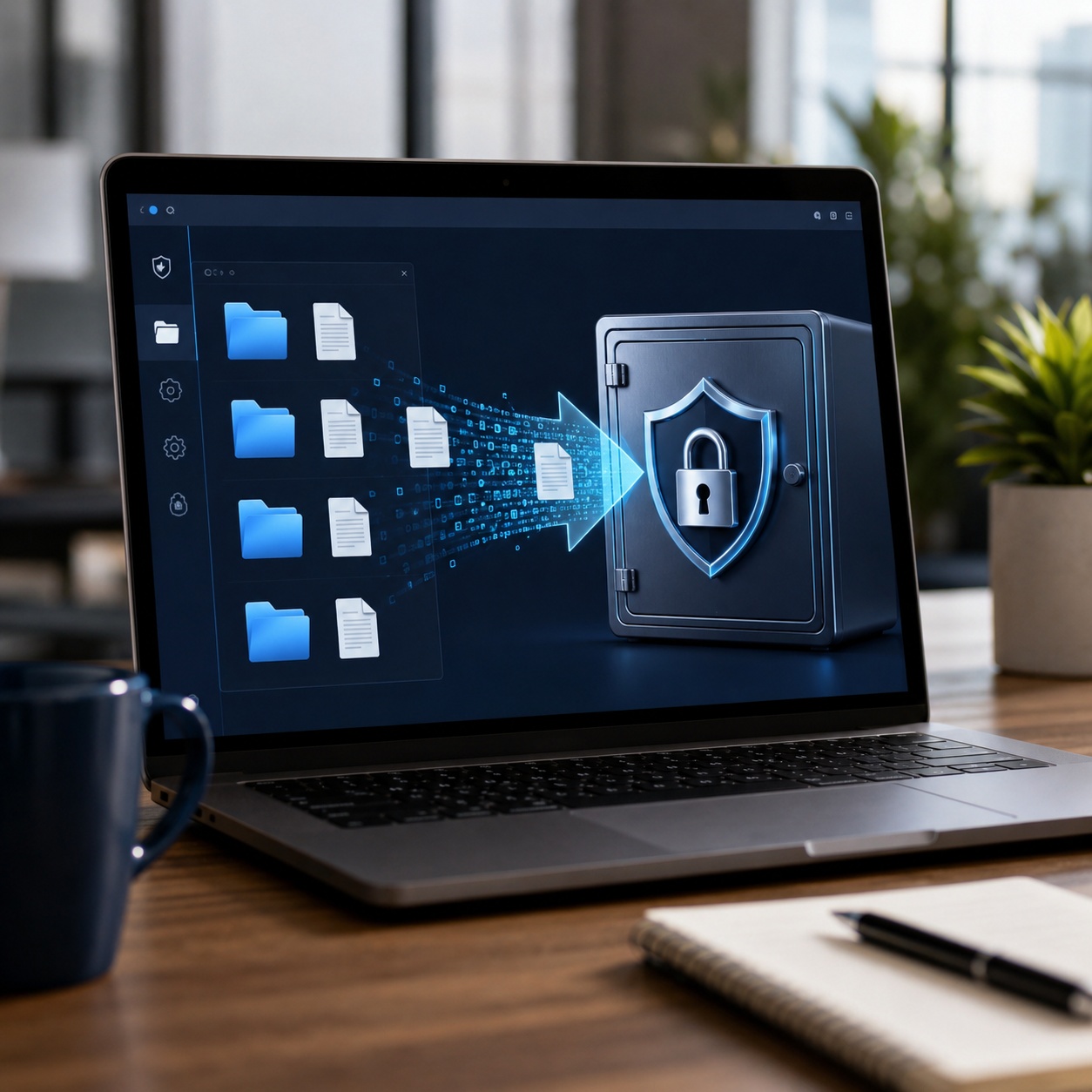
Choosing the Right Encryption Software for Your Needs
Not all businesses need the same level of encryption. Use our interactive decision helper below to identify which encryption strategy matches your organization's daily workflows.

What is your primary security concern?
Recommended: S/MIME Implementation
For seamless internal communications, setting up S/MIME certificates via your IT administrator is the most invisible and effective method. It integrates directly into Outlook and Exchange.
Recommended: Pre-Transit File Encryption (AES-256)
If you are sending sensitive attachments externally, you cannot rely on the recipient having S/MIME. You need dedicated file encryption software to lock the attachments with AES-256 before attaching them to the email. (See our recommendation below).
Recommended: PGP Encryption Software
For zero-trust environments, PGP (Pretty Good Privacy) provides strong asymmetric encryption, though it requires strict key management and manual setup by both parties.
Recommended: Forced TLS
Ensure your email server (Google Workspace or Microsoft 365) is configured to require TLS for all inbound and outbound traffic. No extra desktop software is needed.
Email Encryption Protocols Explained (Methods)
Before investing in third-party software, it is vital to understand the foundational protocols that govern secure email transmission and data-at-rest protection.
Method 1: S/MIME (Secure/Multipurpose Internet Mail Extensions)
S/MIME is built into most enterprise email clients, including Outlook and Apple Mail. It uses a centralized Public Key Infrastructure (PKI). Your IT department issues a digital certificate to your device, which proves your identity and encrypts the message.
Best for: Large organizations with centralized IT administration communicating internally.
Limitations: Difficult to scale when communicating with external clients who do not have S/MIME certificates set up.
Method 2: PGP Encryption Software (Pretty Good Privacy)
Unlike S/MIME, PGP does not rely on a central certificate authority. It uses a decentralized "web of trust." Users generate their own public and private keys and share their public keys with intended recipients.
Best for: Highly sensitive communications, open-source advocates, and independent security researchers.
Limitations: Steep learning curve. If you lose your private key, your encrypted emails are permanently inaccessible. It can be cumbersome to manage key rings.
Method 3: Native Web Client Security (Gmail Confidential Mode)
Google Workspace offers "Confidential Mode," which prevents forwarding, copying, or downloading. Microsoft 365 offers similar Office Message Encryption (OME).
Limitations: This is often not true end-to-end encryption. The provider (Google/Microsoft) holds the keys. Furthermore, it only secures the message wrapper; if the recipient's entire account is compromised, the data is exposed.

Method 4: Pre-Transit File and Folder Encryption
Rather than relying on the email protocol to encrypt the data, this method uses dedicated data encryption software to encrypt the actual files and folders (using AES-256) before they are attached to the email. The email itself can be intercepted, but the attached payload remains an impenetrable vault.
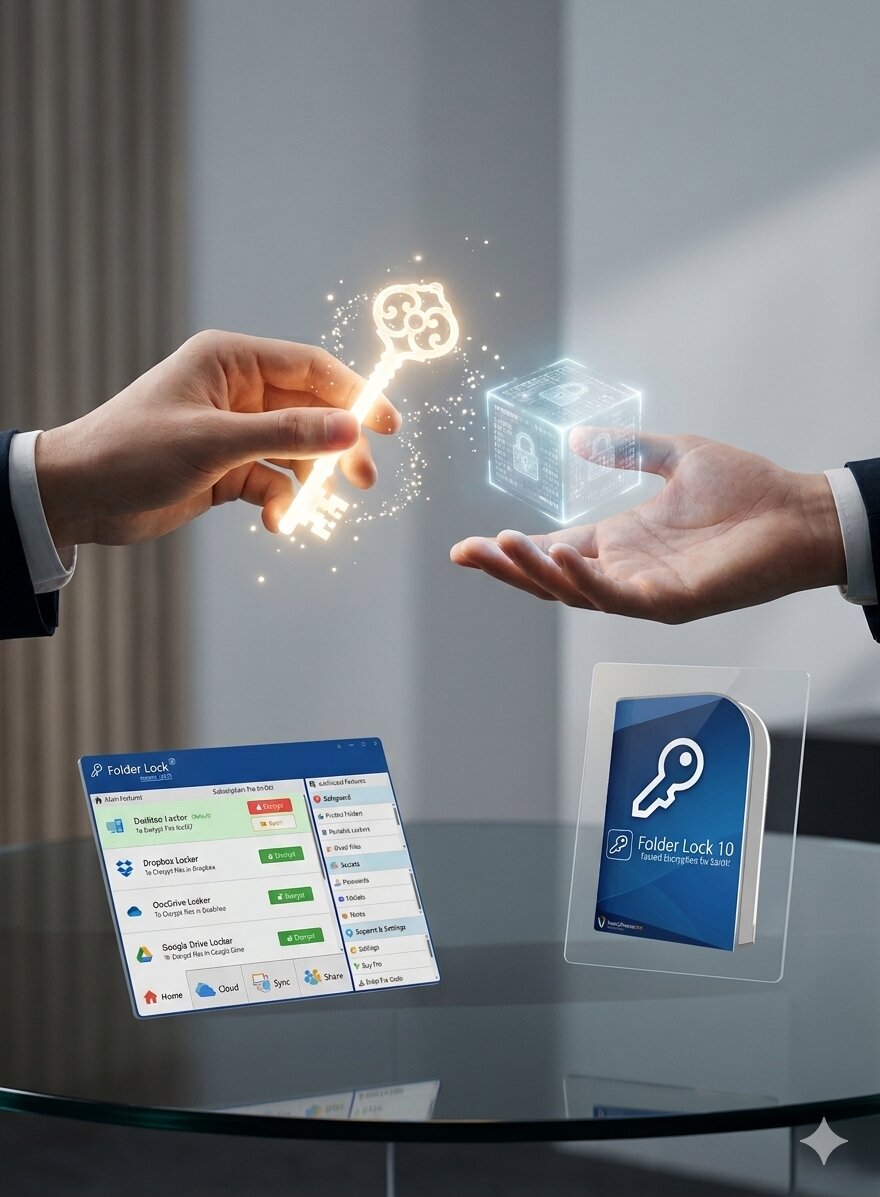
Methods Comparison: S/MIME vs PGP vs Pre-Transit AES
| Protection Layer | Ease of Setup | External Compatibility | True End-to-End Security | Attachment Security (At Rest) |
|---|---|---|---|---|
| Forced TLS (Built-in) | ||||
| S/MIME (Outlook) | ||||
| PGP (Open Source) | ||||
| Pre-Transit AES-256 (File Encryption) |
The Tool We Recommend for Attachment Security
While S/MIME and PGP are excellent for encrypting the text of an email, the biggest vulnerability for businesses is data exfiltration via attachments. If an employee's inbox is compromised, all historical attachments are exposed.
To truly secure sensitive files, we recommend encrypting them before they hit your email client. Of all the data encryption software we've reviewed, Folder Lock provides the strongest, most accessible pre-transit AES-256 encryption across the entire corporate ecosystem—seamlessly bridging Windows, macOS, iOS, and Android devices.
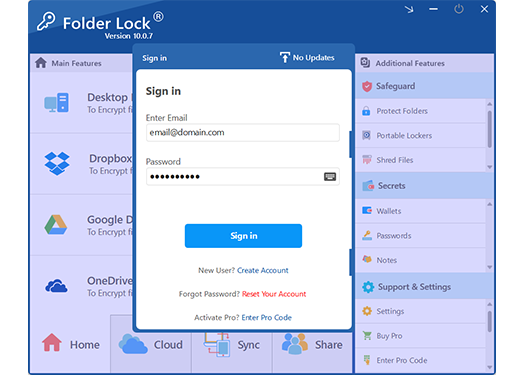
Why Folder Lock Closes the Email Security Gap
Relying solely on email encryption OS layers leaves your local drives and cloud storage vulnerable. Folder Lock acts as a holistic file encryption tool that integrates with your email workflow and remote team environments.
Portable Encryption Lockers
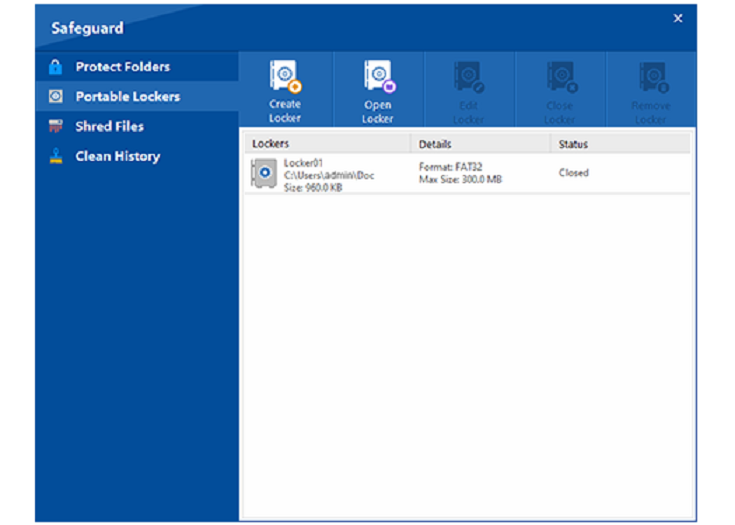
Create encrypted "Lockers" that function like virtual drives. When you need to email sensitive data to a client, you send the encrypted locker file. Without the exact master password, the file is mathematical noise to anyone intercepting it.
Bypasses Email Client Limitations
Unlike S/MIME, which requires the recipient to configure certificates in Outlook or Apple Mail, Folder Lock's encrypted files can be downloaded from any webmail client and unlocked locally if the recipient has the credentials.
Protects Email Archives
If you back up your PST files or email archives locally, full disk encryption or folder-level encryption ensures that offline physical theft of a company laptop does not result in a data breach.
Secure Cloud Collaboration (No Shared Passwords)
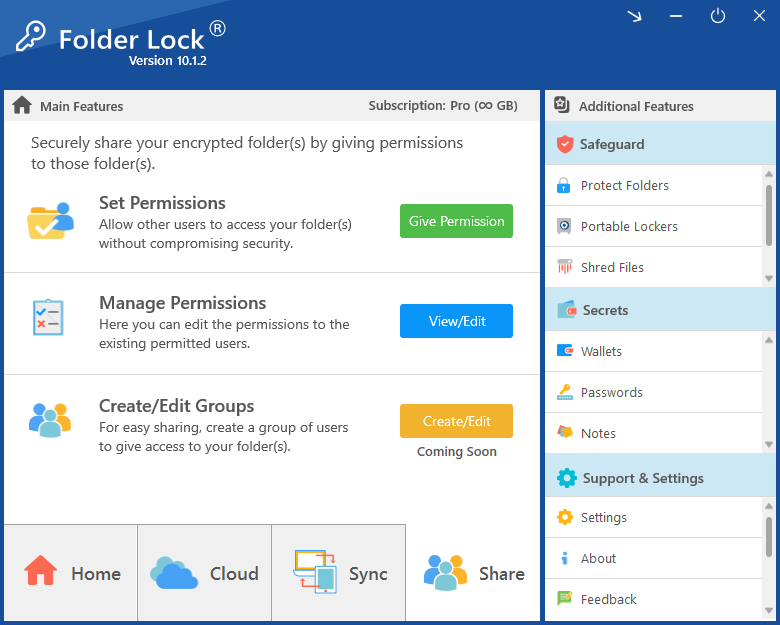
Emailing decryption passwords alongside an encrypted file defeats the purpose of security. This platform allows you to link directly with corporate cloud drives (Google Drive, Dropbox, OneDrive) and utilize asymmetric RSA cryptography to share access. The recipient can securely open the document using their own credentials, completely neutralizing interception risks.
Forensic Data Destruction
Deleting a sensitive email attachment from your downloads folder does not remove it from your magnetic hard drive. To meet strict corporate data retention policies, the software includes a military-grade file shredder that permanently overwrites deleted data and wipes empty disk space, rendering forensic recovery impossible.

How to Encrypt Email in Outlook 365 (S/MIME & Attachments)
Implementing business email encryption usually requires a hybrid approach: securing the transport and securing the payload. Here is a step-by-step workflow for securing external communications.
Step 1: Enable Native OME or S/MIME in Outlook
If your IT administrator has configured Microsoft Purview Message Encryption, you can encrypt the email wrapper.
- Open Outlook and click New Email.
- Navigate to the Options tab on the ribbon.
- Click Encrypt.
- Select Encrypt-Only or Do Not Forward based on your policy.
# Admin Command to Verify OME Status
Get-IRMConfiguration | Format-List AzureRMSLicensingEnabled
Step 2: Pre-Encrypt the Attachments (Best Practice)
For highly sensitive files (e.g., patient records subject to HIPAA), native Outlook encryption is not enough. You must use data encryption software first.
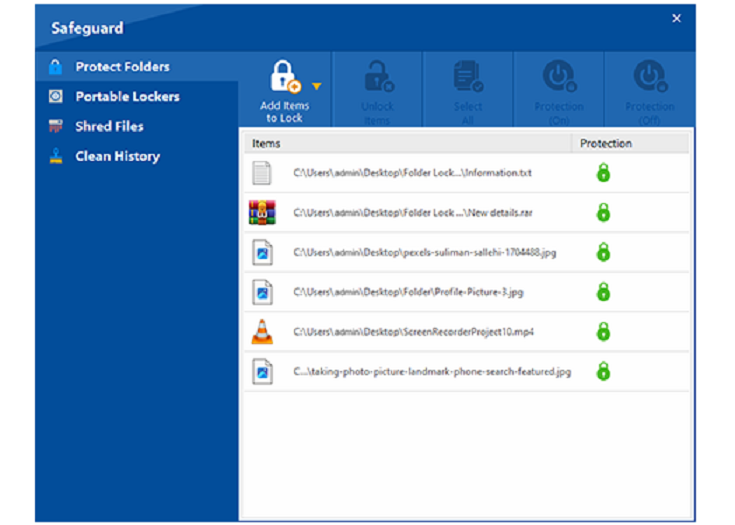
- Open Folder Lock and select "Encrypt Files".
- Create a new encrypted Locker (e.g.,
Client_Financials.flk). - Move the sensitive PDFs or spreadsheets into the Locker and close it.
- For extreme security: You can convert this locker into a self-executable application before attaching it. This allows external clients to securely extract the data on their local machines without needing administrative rights to install software.
Step 3: Secure Out-of-Band Key Delivery
Never email the password or decryption key in the same email as the encrypted file. Use an out-of-band method, such as a secure SMS, a phone call, or a secondary messaging application like Signal, to provide the recipient with the key.
Legal and Compliance Reasons to Use Email Encryption Software for Business
HIPAA-Compliant Email Encryption — What You Need
Under the Health Insurance Portability and Accountability Act (HIPAA), covered entities must implement access controls and encryption for Electronic Protected Health Information (ePHI). Sending patient data via standard SMTP violates HIPAA. Organizations must use HIPAA compliant email encryption software that utilizes AES-256 and ensures data is secure both in transit and at rest.
If an unencrypted email containing ePHI is intercepted, it is a reportable breach. If an encrypted file is intercepted, it is a "safe harbor" exception, saving the company from massive fines.
GDPR Email Encryption Requirements
The General Data Protection Regulation (GDPR) mandates "appropriate technical and organizational measures" to ensure data security. While it does not explicitly mandate a specific algorithm, Article 32 strongly highlights encryption. Exfiltrating EU citizen data without AES 256 encryption software protection leaves businesses liable for fines up to 4% of global revenue.
Furthermore, GDPR enforces the "Right to be Forgotten." When a client requests data removal, simply dragging downloaded email attachments to the recycle bin is legally insufficient. Employing a solution with integrated data shredding (utilizing DoD or Gutmann overwriting standards) guarantees that the digital footprint is forensically eradicated.
Symmetric vs Asymmetric Encryption — What You Need to Know
Understanding how modern encryption algorithms work is key to choosing your stack:
- Symmetric Encryption (e.g., AES-256): Uses a single key to encrypt and decrypt. It is incredibly fast and standard for file encryption software like Folder Lock.
- Asymmetric Encryption (e.g., PGP, RSA): Uses a public key to encrypt and a private key to decrypt. Excellent for email transit, but computationally heavy and complex to manage.
Troubleshooting and Recovery: Protecting Sensitive Business Files
What happens to encrypted files if I forget the password?
True AES-256 file encryption software offers no backdoor. If you encrypt an email attachment or local folder using Folder Lock and lose the master password, the data is irretrievable. This is by design to prevent unauthorized access. Fix: Always maintain a secure, offline password manager or an enterprise key escrow system for corporate data.
How to encrypt files without slowing down your computer?
Some users notice a performance impact when using full disk encryption. To mitigate this, opt for folder-level or file-level encryption for specific sensitive data instead of encrypting the entire OS drive. Modern AES-NI hardware instruction sets on current CPUs also mean that AES-256 encryption adds near-zero latency to standard operations.
Can law enforcement decrypt AES-256 encrypted data?
Without the key, no. AES-256 is mathematically secure against current brute-force technology. Assuming a strong, randomly generated alphanumeric password is used, neither hackers nor state agencies can bypass the cryptography itself.
How Enterprises Secure Their Workflows
"We used to rely solely on TLS for our email, until a client's inbox was compromised and our financial PDFs were exposed. Now, we use Folder Lock to encrypt the actual documents before they ever touch Outlook. It's the only way to guarantee data at rest remains secure regardless of the email channel."
"Managing PGP keys for our external contractors was a nightmare. Moving to a pre-transit file encryption model allowed us to secure attachments with AES-256 while keeping our email workflow simple and fast."